The look of your site
Contact details and social links
Setting the e-mail, phone, address and links to your networks, for the whole site.
In this article
These details appear across your whole site, mainly in the footer. They are the foundation of your contact information.
They live in Websites → Site settings, in the « Contact information » and « Social links » sections.
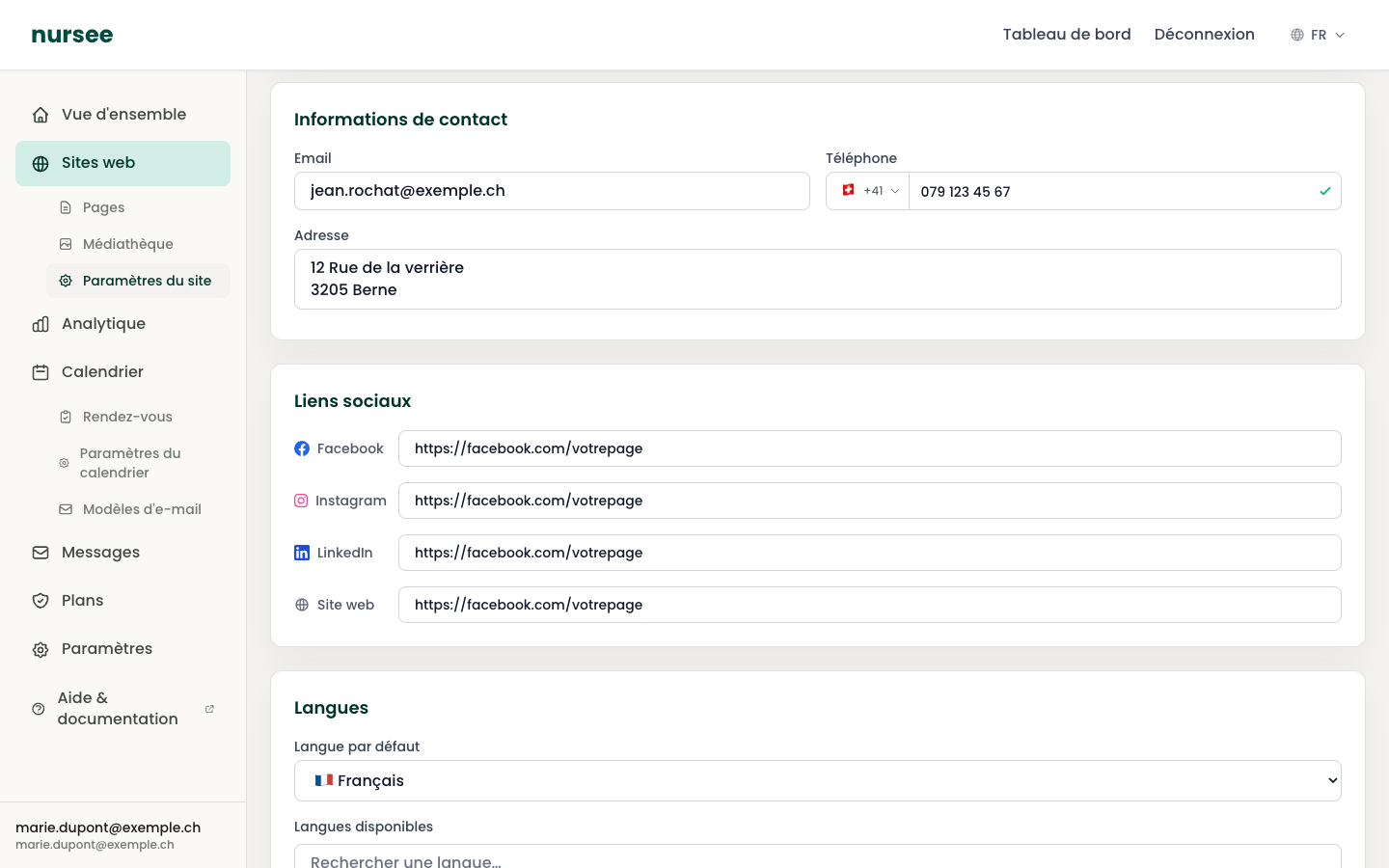
Contact information
Your professional e-mail address. It is shown in the footer and your visitors can click it to write to you directly.
Phone
Your number. A country selector appears to the left of the field: leave it on the Swiss flag (+41) and type your number, for instance 079 123 45 67.
A green tick appears on the right when the number is valid. If it does not appear, check the number of digits.
Address
The address of your practice. You can write on several lines:
`` 12 Station Road 1000 Lausanne ``
If you work exclusively at your patients' homes and you would rather not publish your private address, give your service area instead: Lausanne and surroundings, within 20 km.
Do not confuse this with the Contact block
This is the most common confusion. There are two places with contact details:
| Where | What it affects |
|---|---|
| Site settings → Contact information | The footer, on every page of the site. |
| The Contact block of a page | That page only. |
The two are independent. When your number changes, correct it in both places. See The Contact block.
Social links
Four fields are available: Facebook, Instagram, LinkedIn and Website.
A small clickable icon appears in the footer for each field you fill in. Empty fields show nothing.
How to get the address of your page
Open your page or profile in your browser.
Copy the full address from the browser bar.
Paste it into the matching field.
The address must be complete and begin with https://:
| Network | Expected format |
|---|---|
https://facebook.com/yourpage | |
https://instagram.com/yourhandle | |
https://linkedin.com/in/yourprofile | |
| Website | https://yourothersite.ch |
Should I fill in every network?
No, and it is better not to.
The « Website » field
It is for pointing to another site, not this one. For instance the site of a group practice you belong to, or that of a professional association.
Leave it blank if you have none.
Saving
As everywhere on this page, click « Save settings » at the top right. A green message confirms.