The pages of your site
Creating a sub-page
Filing a page inside another one, like a folder and its documents.
In this article
A sub-page is a page filed inside another one. Think of a ring binder: the parent page is the divider, the sub-pages are the sheets behind it.
What is it for?
Avoiding an endless menu. Compare:
Without sub-pages — a long, confusing menu:
- Home
- Swedish massage
- Sports massage
- Lymphatic drainage
- Reflexology
- Contact
With sub-pages — a clear menu:
- Home
- Services
- Swedish massage - Sports massage - Lymphatic drainage - Reflexology
- Contact
The visitor sees three entries instead of six, and finds their way.
Creating a sub-page
It is exactly the same as creating a normal page: there is only one field to change.
Go to Websites → Pages.
Click « + New page ».
Type the title, for instance
Swedish massage.In the « Parent page » drop-down, choose the page to file this one under — for instance
Services.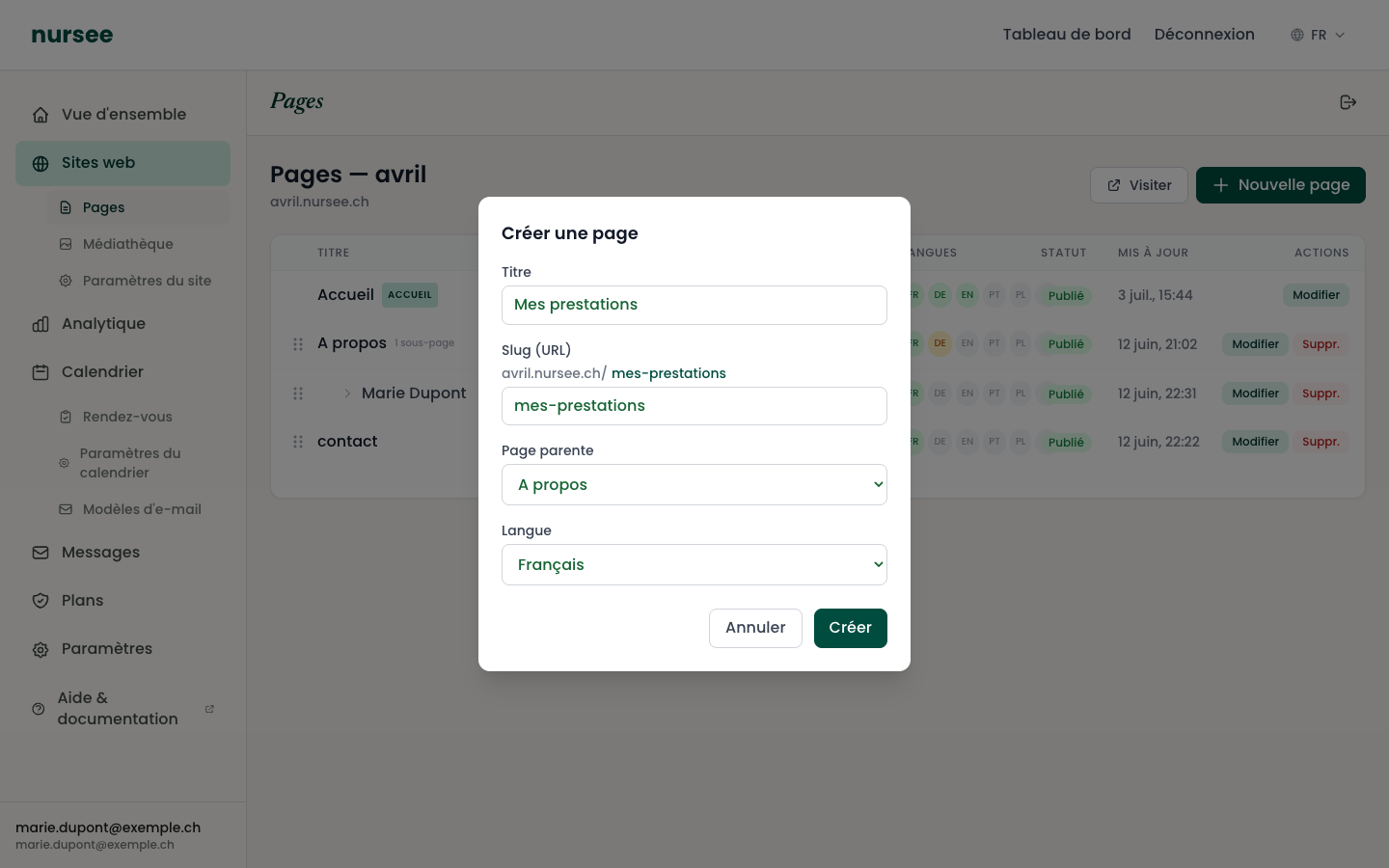
Choose the parent page in the drop-down list Click « Create ».
That is all. The new page appears in the list, indented to the right and preceded by an arrow (↳), just under its parent.
The address changes too
Filing a page inside another changes its internet address, which makes sense.
A page swedish-massage filed under services will be reachable at:
your-site.nursee.ch/services/swedish-massage
The address tells the path. That is good for your visitors, and good for Google.
Worth knowing
Changing the parent page later
You can move an existing page to make it a sub-page, or bring it back up to the top level, by dragging it in the list. See Reordering and deleting.
Deleting a parent page
If you delete a page that contains sub-pages, a message warns you. Decide what you want to do with their content before confirming: first drag out the sub-pages you want to keep, up to the top level.