Getting started
Signing in to your account
How to reach your dashboard with your e-mail address and your password.
To edit your website, you first have to sign in. It is like unlocking your own front door: nobody else can do it.
Signing in, step by step
Open your browser (Safari, Chrome, Firefox, Edge…) and go to nursee.ch.
At the top right of the page, click the green « Log in » button.
In the « E-mail » field, type the address you created your account with.
In the « Password » field, type your password.
The characters appear as dots: that is normal, so nobody can read them over your shoulder.
Click « Log in ».
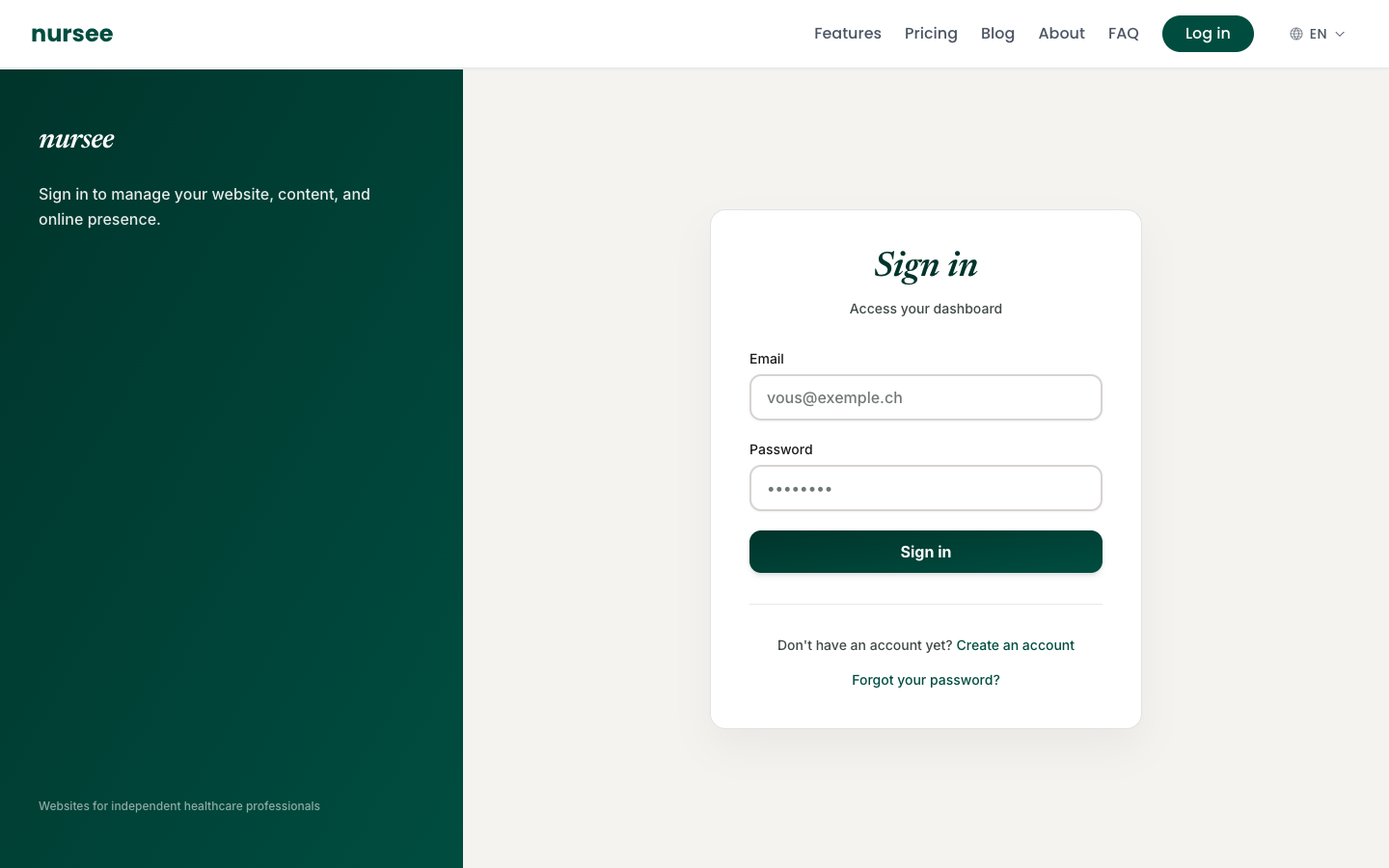
You land straight in your dashboard. Done.
If signing in does not work
Read the red message under the form: it almost always names the exact cause.
| Message shown | What to do |
|---|---|
| Check your credentials | The e-mail address or the password is wrong. Retype both slowly, with no space before or after. |
| E-mail address not confirmed | Open the e-mail we sent you when you registered and click the confirmation link. Check your junk mail folder too. |
| Account temporarily locked | For security, the account locks itself for a few minutes after several failed attempts. Wait, then try again. |
If you cannot find your password, it is not a problem at all: see Forgotten password.
Staying signed in
Your browser keeps you signed in for a while. If you come back to nursee.ch later the same day, you will probably not have to type anything again.
After several days away, or if you signed out on purpose, you will have to sign in again. That is normal, and it protects you.
Signing out
If you are using a shared computer (at the library, at someone's home, in a staff room), always sign out before you leave.
Click « Log out », at the top right of the screen.
You return to the sign-in page. Your session is closed.