Messages and visitors
Messages received
Reading the messages sent through your website's contact form.
In this article
When a visitor fills in the contact form on your website, their message arrives here.
To get there: in the left menu, click Messages.
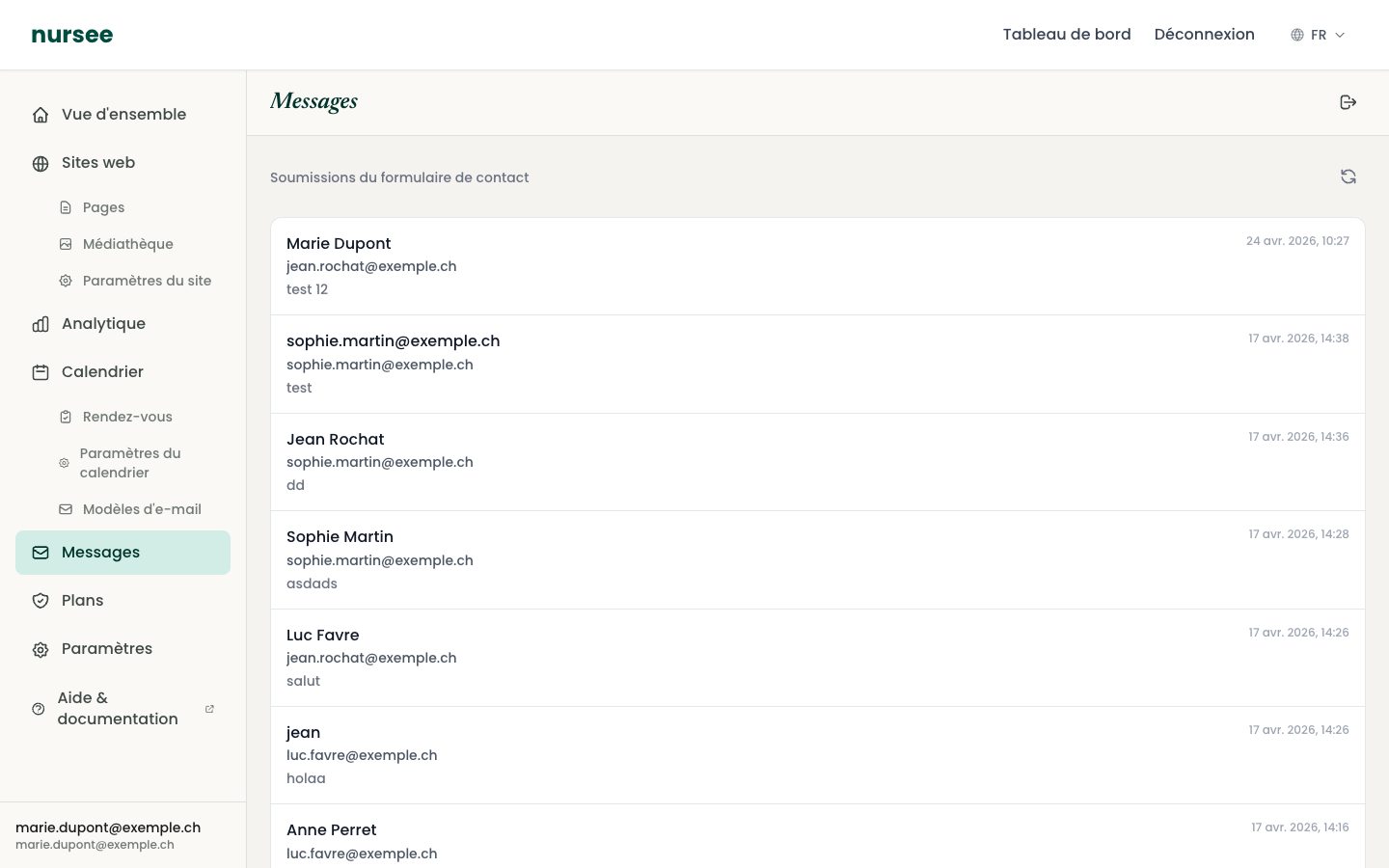
Reading the list
Messages are sorted from newest to oldest. Each row shows:
- the person's name;
- their e-mail address;
- the beginning of their message;
- the date and time it arrived.
A New badge marks the messages you have not opened yet.
Click a row to read the message in full.
The red dot
When you have unread messages, a red dot appears next to Messages in the left menu. The number tells you how many.
It disappears once you have read everything. It is your visual reminder: while it is there, somebody is waiting for an answer.
How to reply
There is no « Reply » button in the dashboard. That is deliberate: you reply from your own e-mail inbox, with your usual signature.
Open the message to see the sender's e-mail address.
Copy that address.
Open your usual mail program (Gmail, Outlook, Mail…).
Write your reply.
That way the exchange continues normally in your inbox, and you keep the record where you already archive everything else.
The reload button
At the top right, the icon with two circular arrows reloads the list. Use it if you are expecting a message and the page has been open for a while.
If no message arrives
Check these points in order:
Is the form enabled on a page? The Contact block has a « Show contact form » box that must be ticked. See The Contact block.
Is the page with the form published? A form on a draft page is visible to nobody.
Is maintenance mode on? If so, your whole site is hidden, form included. See Maintenance mode.
Test it yourself. Open your site, fill in the form with your own address, send it. The message must appear here within a minute.
That thirty-second test answers the question better than any amount of checking.
How long are messages kept?
They stay in your dashboard. They do not delete themselves.
Unwanted messages
Like any inbox, yours may receive advertising sent by robots. That is annoying but harmless: do not click any link they contain, and ignore them.