The pages of your site
Understanding pages
What a page is, what a slug is, and how to read your list of pages.
In this article
Your website is a set of pages. Each page has a title (what your visitors read) and an address (what appears in the browser bar).
To see all your pages: in the left menu, click Websites, then Pages.
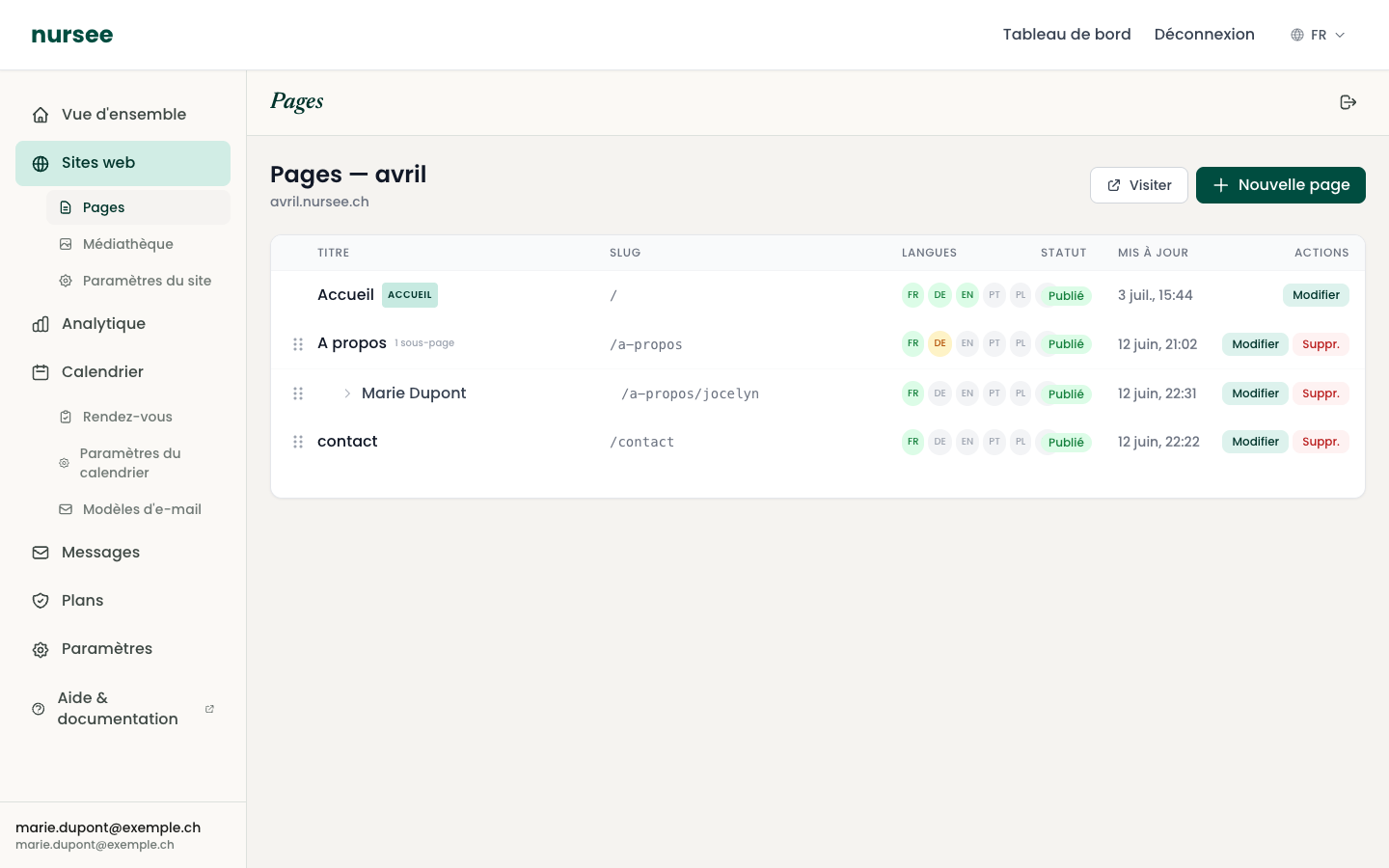
Reading the table
Each row is a page. The columns mean:
| Column | What it means |
|---|---|
| Title | The name of the page, as it appears in your site menu. |
| Slug | The end of the page's internet address (see below). |
| Languages | The languages the page exists in. See Translating a page. |
| Status | Published: visible to everyone. Draft: visible only to you. |
| Updated | The date of your last change. |
| Actions | Edit to open the page, Delete to remove it. |
What is a « slug »?
The word is technical, the idea is simple: the slug is the end of the page's internet address.
If your site is at care-plus.nursee.ch and a page's slug is contact, then that page is reachable at:
care-plus.nursee.ch/contact
A few rules:
- lower-case letters, numbers and hyphens only;
- no spaces, no accents, no capitals;
- short and descriptive:
contact,our-services,prices.
When you create a page, the slug is suggested automatically from the title. In the vast majority of cases, leave it as it is.
The home page
One page carries the HOME badge. It is the first page your visitors see — the one that appears when they simply type your address.
It is special:
- its slug is always
/(the root of the site); - it is always published, it cannot be set to draft;
- it cannot be deleted;
- it always sits at the top of the list.
That is deliberate: a site without a home page would be unreachable.
Sub-pages
A page indented to the right with a small arrow (↳) is a sub-page: it sits « inside » another page.
In the picture above, Marie Dupont is a sub-page of A propos. Its full address is therefore /a-propos/jocelyn.
This is very handy for grouping related content. See Creating a sub-page.
How many pages can I create?
That depends on your subscription plan. Just under the title, a line reads for instance Site pages: 4 / 10.
If you reach the limit, the « New page » button stops working and a message explains why. You then either delete a page you no longer need, or move up to a bigger plan.