Online appointments
Holidays and time off
Blocking a day, a whole period, or just a few hours.
In this article
Your weekly availability defines your usual week. Blocked periods are for the exceptions: holidays, public holidays, training, personal appointments.
Where to set them
In the left menu: Calendar → Calendar settings.
Scroll down to the « Blocked periods » section.
You see two months side by side, and a reminder of how it works:
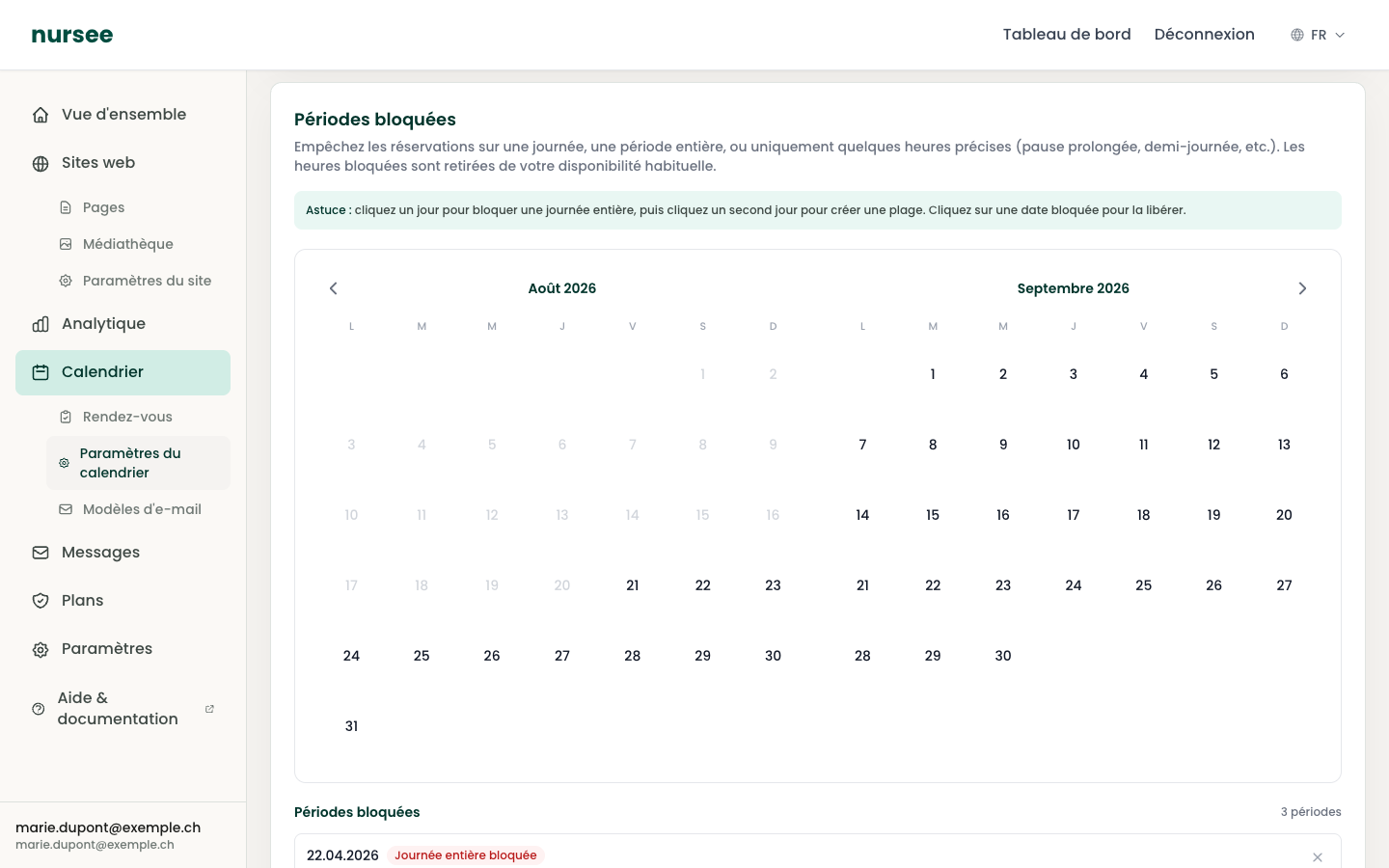
Blocking a single day
Click the day in the calendar.
The day is selected and a message offers to pick an end date.
Click the same day a second time: only that day is blocked.
Blocking a period (a holiday)
Click the first day of your absence.
Click the last day of your absence.
The whole period, both ends included, is blocked.
Use the ‹ and › arrows either side of the months to navigate if your period starts later in the year.
Blocking only a few hours
Sometimes you are away for only half a day: training in the morning, a dentist appointment, a work lunch.
First block the day concerned, as above.
In the « Blocked periods » list at the bottom of the section, find the row for that date.
Tick « Block only specific hours ».
Give the start and end times.
Only those hours are removed from your availability. The rest of the day stays bookable.
A note confirms it: Only these hours will be removed from your availability. The rest of the day remains bookable.
Adding a label
Every blocked period accepts an optional label: Summer holidays, Training, Conference, Public holiday.
That label is never visible to your patients. It is only for you: in six months you will still know why that week was blocked.
The list of blocked periods
Below the calendar, the list sums up all your periods, with the total number.
Each row shows the date (or the range of dates) and a badge: Whole day blocked or the exact hours, for instance 09:00–12:00 blocked.
Freeing a period
Two ways:
- Click a blocked date in the calendar: it is freed.
- Or click « Remove » (the cross) on its row in the list.
Then click « Save ».
Do not forget to save
Click « Save », at the top right of the page.
Public holidays
There is no automatic list of public holidays: they vary from canton to canton in Switzerland. Block them yourself at the start of the year, in a single ten-minute sitting.